
App Meta Conversion API
The Meta Conversions API establishes a direct connection between your Salesqueze marketing data and Meta’s advertising systems, enabling enhanced ad targeting optimization, reduced cost per acquisition, and comprehensive outcome measurement.
Salesqueze implements a dual-event tracking architecture, transmitting events from both browser and server environments. This redundant approach ensures data continuity when users employ ad blockers or decline analytics consent at the browser level. However, we fully respect user privacy: when analytics consent is withheld, no personally identifiable information is transmitted from our servers.
Enabling the Meta App
Access the Meta Conversions API integration through the Apps section in your Salesqueze settings.
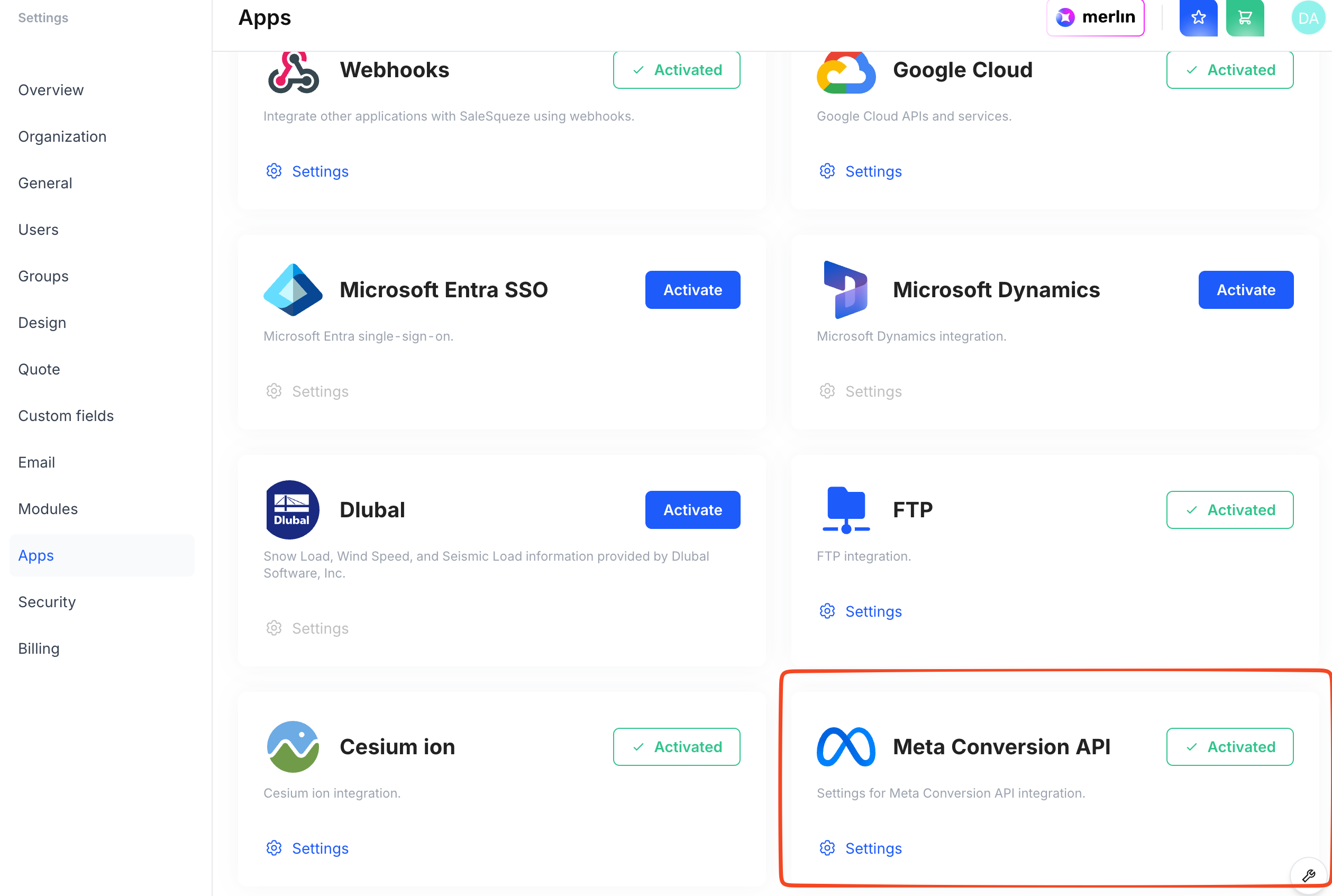
Configuration
Click Settings to access the configuration panel where you’ll enter your Meta-specific credentials.
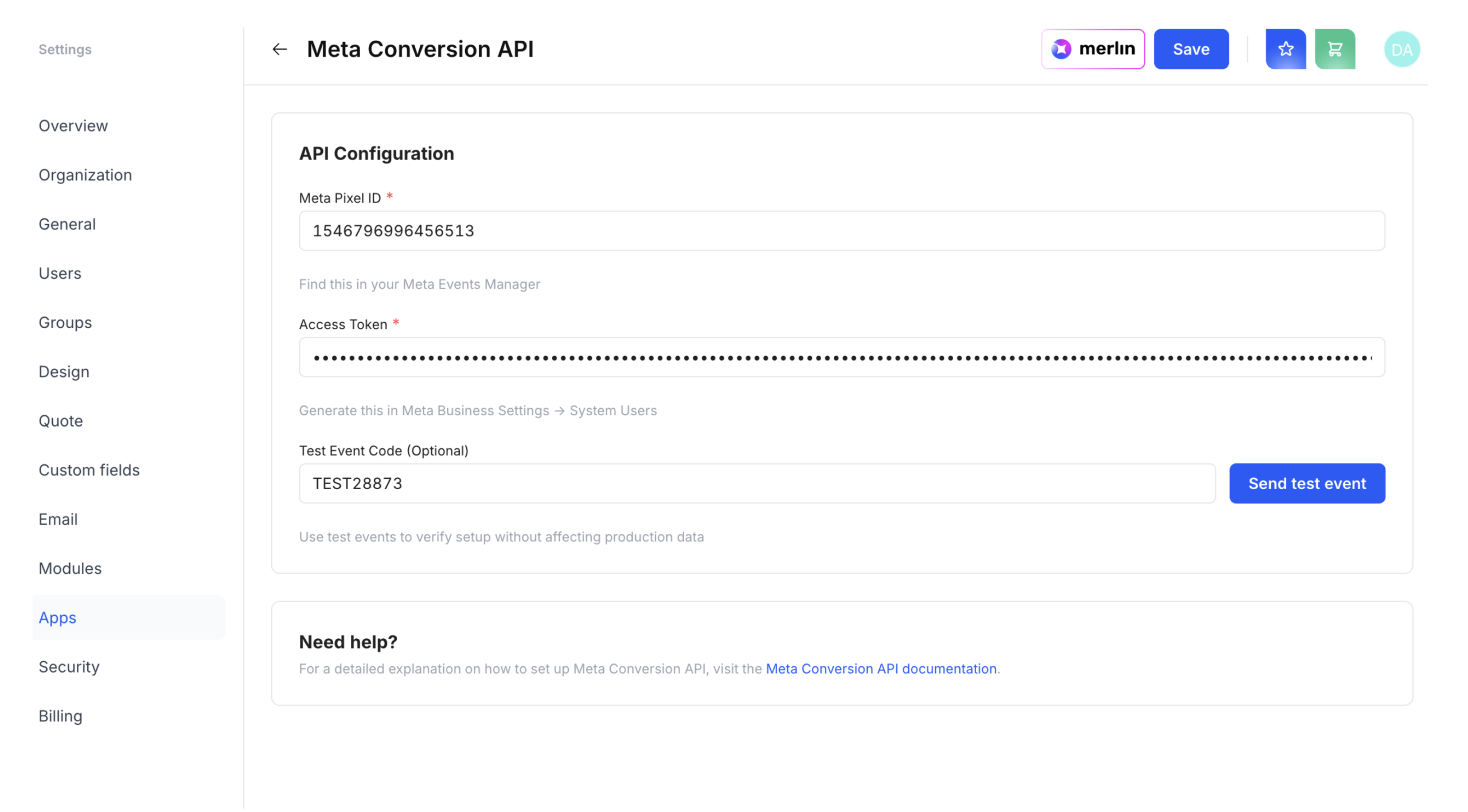
Meta Pixel ID
This is the unique identifier for your Meta pixel, which determines the destination for your event data. Locate this ID in the Meta Events Manager under your pixel’s settings.
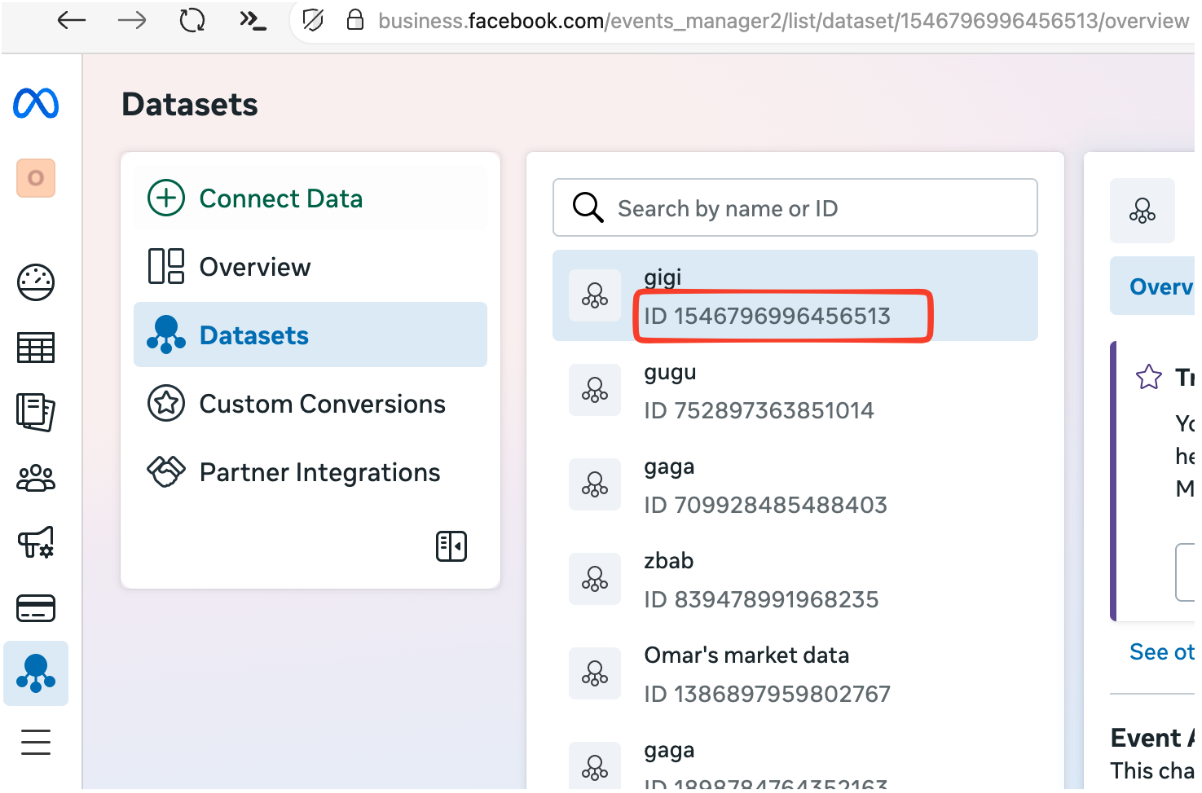
Access Token
Generate this token in Meta Business Settings under System Users. This token authenticates your server-to-server communication with Meta’s API.
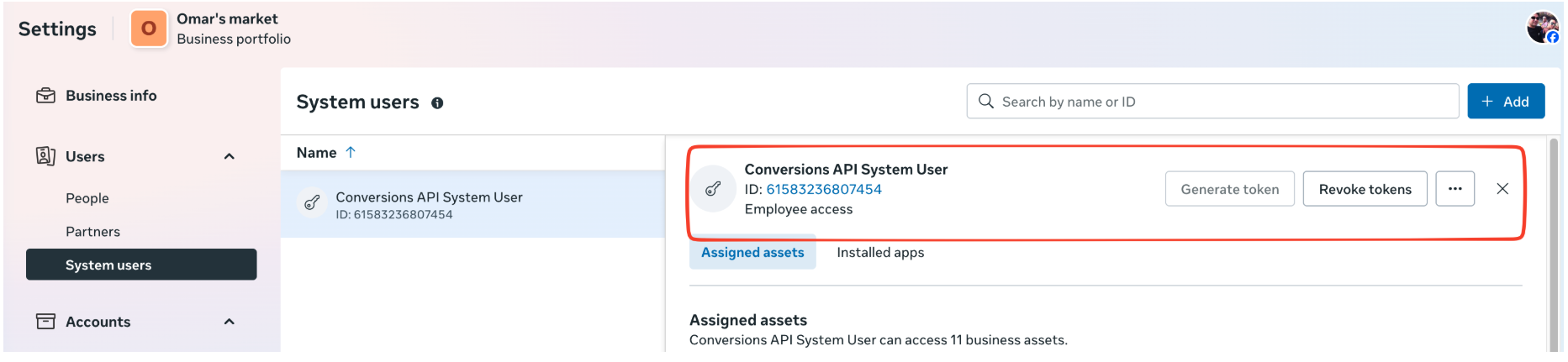
Test Event Code (Optional)
Use this parameter to validate your event transmission setup before deploying to production. This helps ensure proper configuration without affecting your live data.
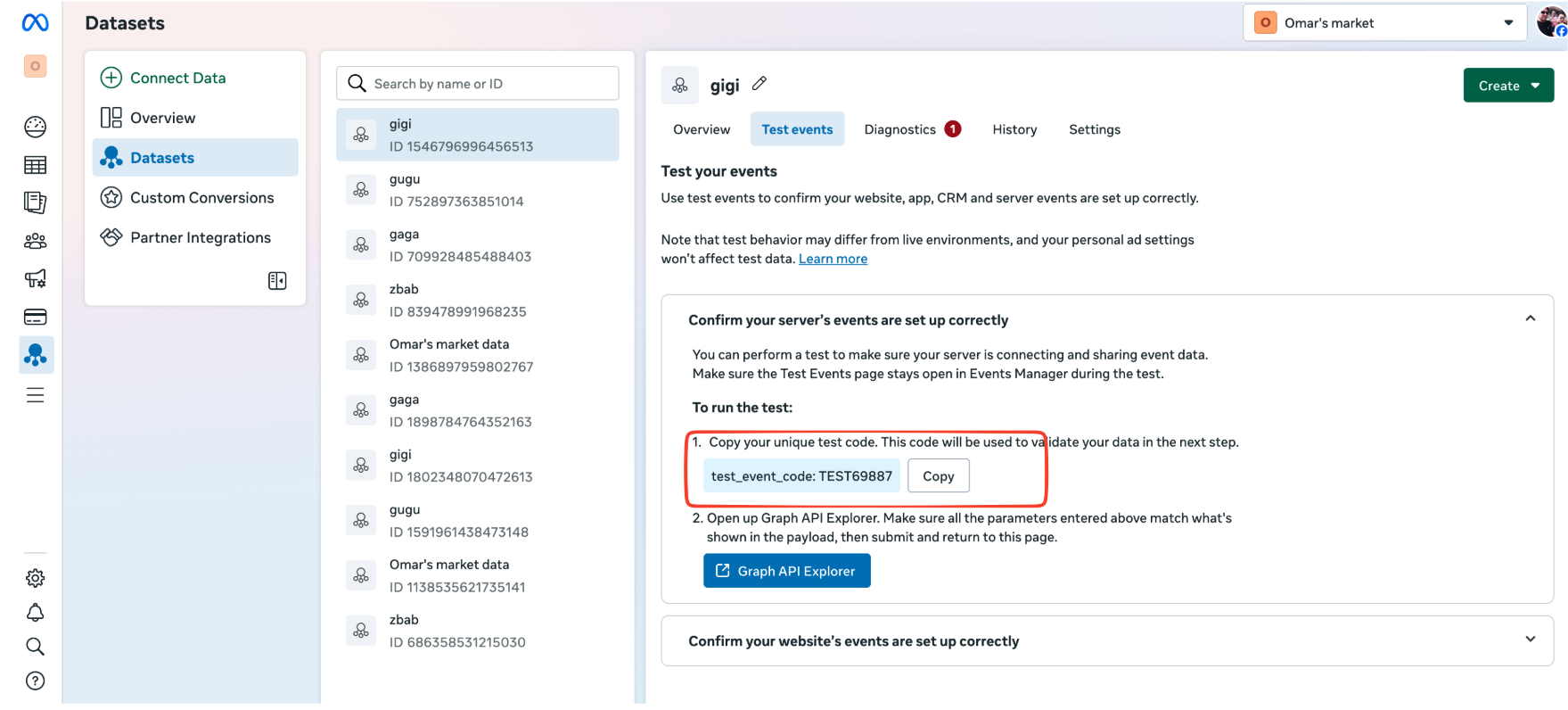
Testing events
-
Enter your Meta Pixel ID, Access Token, and Test Event Code in the settings panel
-
Click Send Test Event
-
Navigate to your pixel in the Meta Events Manager
-
Verify the test event appears in the event activity log
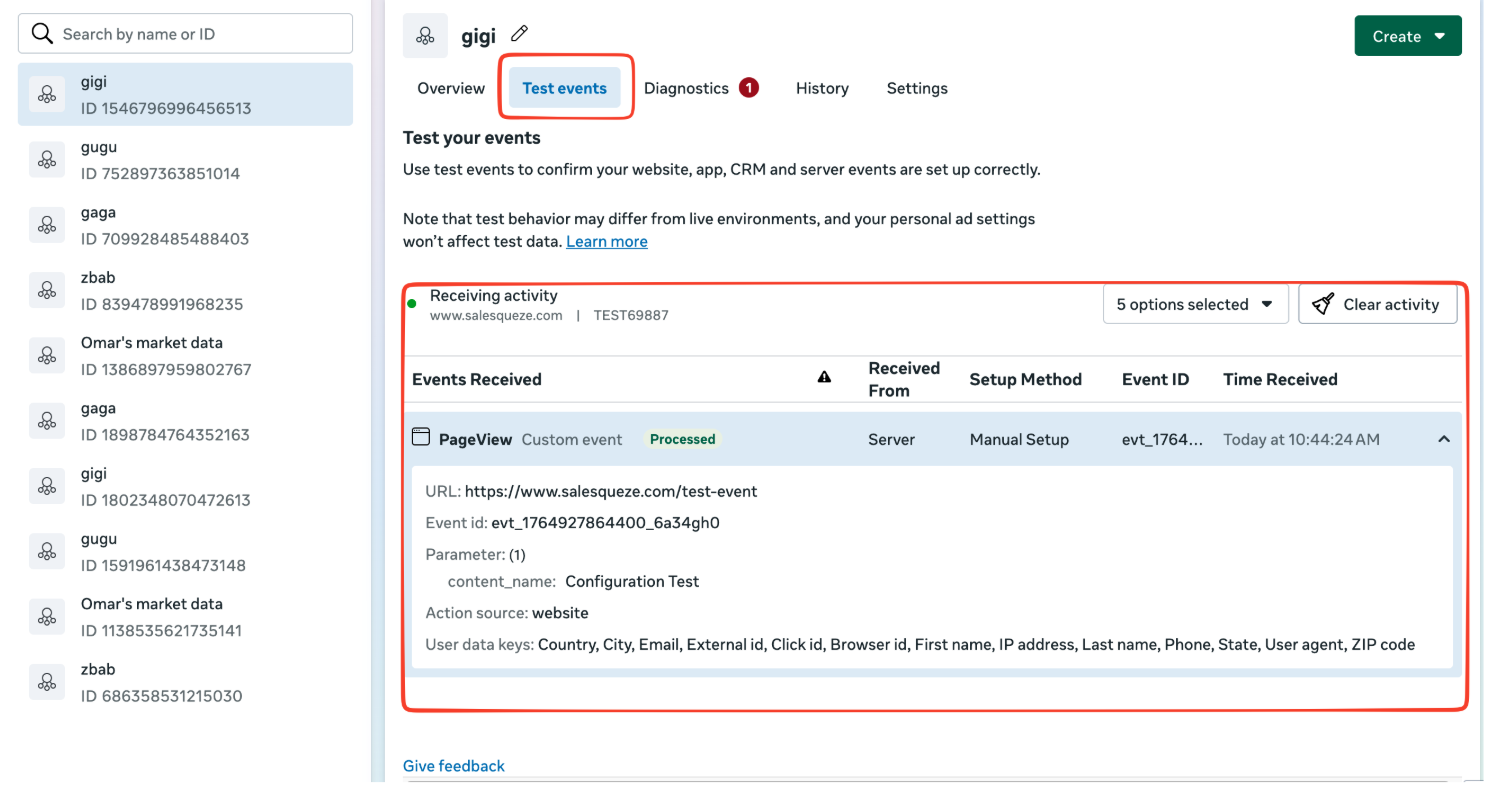
Event Tracking Specifications
Salesqueze transmits the following standardized events to Meta, each enriched with contextual user and product data including name, email, address, product details, and transaction information. Each event transmission includes comprehensive contextual data to maximize Meta’s optimization capabilities while maintaining compliance with user privacy preferences.
The following pseudo-code is for deep-diving into what parameters we send to Meta. It is targeted for those who wish to understand more and suggest improvements to the events we send
// User starts browsing products in guided selling
sendEvent('ViewContent', { content_name: 'guided_selling' });

// User customizes a product using the configurator
sendEvent('CustomizeProduct');

// User navigates to the checkout page to start the checkout process
sendEvent('InitiateCheckout');

// User completes the checkout process
sendEvent('Lead');

// User views a quote
sendEvent('ViewContent', { content_type: 'quote_viewed' });
sendEvent('Lead', { status: 'qualified' });

// Salesperson confirms the quote
sendEvent('Lead', { status: 'Converted' });

// Salesperson rejects the quote
sendEvent('Lead', { status: 'Lost' });

// user declines the quote
sendEvent('Lead', { status: 'Lost' });

// user schedules a visit date
sendEvent('Schedule');

// user opens the scheduler
sendEvent('ViewContent', { content_type: 'schedule_open' });